
Skip to content


Paste a message or link below. Get a clear answer, and a recovery plan if something already went wrong.

Try

Already clicked, paid or shared a code?

What CyberNet AI does

Rules first. Then AI.

Let’s protect you from a scam.

CyberNet AI reads the message before you act. Its own scam rules check a text, link or QR code in seconds. Analysis AI explains the warning signs in plain words. And if something already went wrong, Recovery gives you a plan, step by step.

Texts, links and QR codes

Activity

Real activity. Real numbers.

Counted from CyberNet AI’s own records. While this section is on screen, the numbers refresh every minute.

All-time totals

— Scans completed
— Threats flagged
— Recovery cases

Loading…

At a glance

  • Answers in seconds, with no prompts to write
  • Scam rules first, then AI for the context
  • Reasons in plain language, not jargon
  • Step-by-step help if you already clicked or paid

Scams don’t look like scams. That’s the point.

They arrive as a text from your bank, a parcel fee, a job offer or a voice you trust. CyberNet AI checks them before you act.

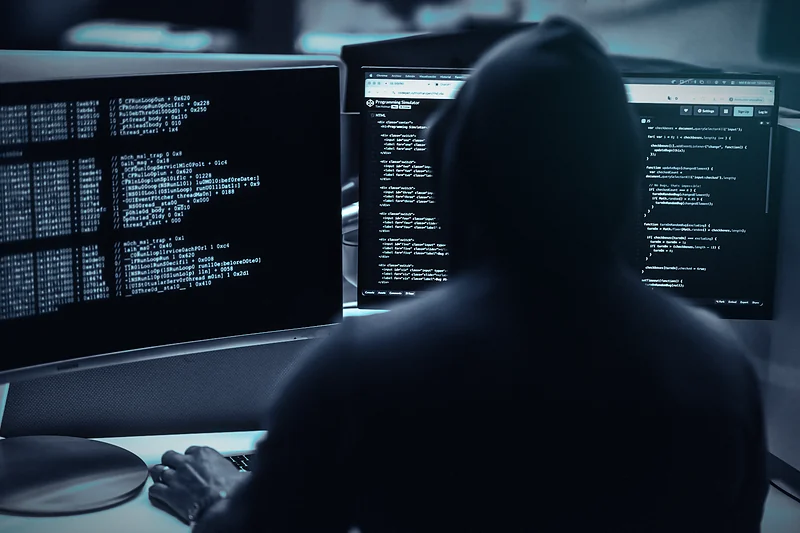
A hooded hacker seen from behind, typing at a desk in front of screens full of code
Phishing texts and emailsFake bank, parcel and toll alerts that push you to tap a link.
QR code that opens cybernetai.app
Lookalike links and QR codesAddresses that copy a real brand, one letter at a time. This code is real: it opens cybernetai.app.
A glowing AI chip on a circuit board in cool cyan light
AI-made scamsCloned voices, fake videos and perfectly written messages.
$442B

lost to scams in one year, by one estimate. That is about $14,000 every second.

Source: Global Anti-Scam Alliance, Global State of Scams 2025 (42 countries surveyed).
Example scan

Watch Quick Scan read a scam.

  1. Reading the messageSpots pressure, payment asks and odd wording.
  2. Checking the linkCompares the web address with who it claims to be.
  3. Scoring the riskAdds up the warning signs with CyberNet AI’s scam rules.
  4. A clear answerThe verdict, the reasons, and what to do next.
Quick Scan Reading Example · not a real scan
Incoming text

Your parcel is on hold. Pay the $1.99 redelivery fee today to avoid return: parcel-redeliver-help.invalid/pay

+1 (202) 555-0137 · unknown sender
Risk score
80/100
Scam
  • A parcel problem used as bait
  • Asks for a small redelivery fee
  • Pushes you to pay through a link
Don’t pay or tap the link. Block the sender.

Check it. Understand it. Fix it.

Start with a quick verdict, ask Analysis AI what it means, and get a step-by-step plan if something already went wrong.

Quick Scan · LinkExample
secure-acct-verify.invalid/login
Scam42
  • The link asks you to sign in
  • Uses “secure” and “verify” in its name to look official
Analysis AIExample

My “bank” says my card is blocked and wants me to confirm a code. Is that real?

No. Your bank will never ask you to read out a code it just sent you. That code lets someone else sign in as you. Don’t reply, and call the number on the back of your card.

Scam
Recovery planExample
3 of 4 steps done
  • Freeze your card in your banking app
  • Call your bank on the number on your card
  • Change your passwords and turn on two-factor (2FA)
  • Report it to the police cybercrime unit

Rules first, then AI.

Quick Scan checks CyberNet AI’s own scam rules and answers in under a second. Analysis AI adds an AI reading of the context on top.

Explains the why

Analysis AI tells you the warning signs, how sure it is and what to do next.

Ready when you are

Check something before you reply, click or pay.

Private by default

Free scans aren’t saved. Pro history is visible only to you; on a Business team, the owner sees team activity.

Rules set the floor

When the rules find a clear scam sign, the AI can add warnings but can never clear it.

Built for the scams people actually get.

A few of the scam types CyberNet AI looks for.

3
Quick Scan types
15
Threat categories
5
Evidence types

Scammers count on you acting fast. CyberNet AI gives you a second opinion just as fast.

Check a message or link

Not sure where to start?

Have a question about how CyberNet AI works, or just want a hand getting started? Contact [email protected] or send us a message.

Email support
What CyberNet AI is, and isn’t: a decision-support tool that helps you evaluate suspicious content and recover from incidents. It is not antivirus software, a bank, a law firm, or a guarantee against hacking, scams, or loss. Always verify anything involving money or credentials through an official channel.

Instant verdict

Texts, links and QR codes

Quick Scan

Paste a message or link, or upload a QR code, and get an instant scam verdict.

Daily Quick Scans 0 / 5
Resets daily

Text detection

Analyze suspicious text, emails, or messages for potential threats and scams.

0/5000
Your text scam result will appear here.
0%

Ready to scan

1

Paste text

Insert the text you want to analyze.

2

Run analysis

Our rules engine scans for threat patterns.

3

Get report

Receive a detailed risk assessment.

Example results

  • "Your parcel is on hold. Pay the $1.99 fee…" Scam
  • "Your account will be suspended. Click the link…" Scam
  • "Your order has shipped" Low Visible Risk

Link detection

Check URLs for phishing, malware, and other malicious activity.

Your link scam result will appear here.
🔗
1

Paste link

Enter the URL you want to check.

2

Run analysis

We inspect the link's structure, domain, and redirect clues.

3

Get report

Receive a detailed risk assessment.

Lookalike domains

Spot brand impersonation and risky domain endings.

Phishing pages

Identify phishing and scam pages.

Malware clues

Detect malicious-download and unsafe-link indicators.

Address checks

Inspect HTTPS, domain structure, and redirect clues.

Example results

  • Lookalike bank sign-in link Scam
  • Shortened link that hides where it goes Scam
  • A company’s official website Low Visible Risk

Image detection

Upload a screenshot or photo that contains a QR code. Quick Scan decodes it and checks where it leads. For the words and logos in a screenshot, use Analysis AI.

Your image scam result will appear here.

What we check

QR destination
QR codes
File checks
1

Upload image

Drag in or browse for a screenshot.

2

Run analysis

We decode any QR code and check where it leads.

3

Get report

Receive a detailed risk assessment.

Example results

  • QR code that opens a lookalike bank sign-in Scam
  • QR sticker that opens a shortened link Scam
  • QR code on a “claim your reward” flyer Scam

What Quick Scan looks for

Scams lean on the same few tricks: urgency, a payment request, a lookalike link. Quick Scan checks for them in seconds and tells you what to do next.

Think a Quick Scan result was wrong?

If a scan called something safe that wasn't (or the other way around), tell us. It helps us improve. Contact [email protected] or send a structured report through the survey.

Email CyberNet

AI diagnostic

Analysis AI

A deeper AI check of messages, links and screenshots, explained in plain language. On Pro, see where a link or QR code leads before you open it.

Daily AI analyses 0 / 3
Resets daily

Ask Analysis AI

Paste a message, drop a link or attach a screenshot. Analysis AI works out what it is looking at and runs the right analysis. No prompts to write.

Sign in, then paste or drop anything suspicious below: a message, a link or a screenshot. Analysis AI works out what it is looking at and runs the right analysis. Free accounts receive 3 accurate AI analyses per day; Pro accounts receive 15 advanced analyses, saved history, and reports.

In plain language

Not just a verdict. Analysis AI explains why something looks risky, shows the evidence and tells you what to do next.

Question about an Analysis AI result?

Confused by a verdict, or think the AI got something wrong? Contact [email protected] or send a structured report through the survey.

Email CyberNet

Recovery

Take a breath. Let’s fix what happened.

CyberNet AI turns what happened into a clear recovery plan: what to do now, what to secure next, and what risks remain.

Daily Recovery cases 0 / 1
Resets daily at 12:00 PM GST
Never send CyberNet AI your password, OTP, MFA code, recovery code, full card number, crypto seed phrase, or private key.

If you upload a screenshot, cover any sensitive information before uploading. CyberNet AI cannot guarantee automatic redaction of images.

Your Recovery cases

Sign in to see your saved Recovery cases.

You are not alone

Scams catch careful people every day, and it is not your fault. Recovery works through it one calm step at a time, starting with what matters most.

Need help with your recovery case?

If something in your recovery plan doesn't feel right, or you're not sure what to do next, reach out. We’re here to help. Contact [email protected] or send a structured report through the survey.

Email CyberNet

Learn Center

7 modules, 33 lessons

Master cyber safety
step by step.

Follow the roadmap below. Open any topic to read the full lesson, with examples and tips.

// Module 01

Cybersecurity Fundamentals

Protecting devices, accounts, networks, and data from digital attacks.

Definition: Cybersecurity (sometimes written "cyber security") is the practice of protecting computers, phones, servers, networks, and the data on them from unauthorized access, damage, theft, or disruption. It's a broad field that includes everything from the password on your phone to the firewalls protecting a hospital's patient records.

Why it matters: Almost every part of daily life now runs through connected devices and accounts — banking, healthcare, communication, work, and shopping. Cybersecurity exists because that convenience creates opportunity for criminals: a single stolen password can lead to drained bank accounts, stolen identities, or a business shutting down entirely.

The three main goals of cybersecurity are usually summarized as protecting confidentiality (keeping information private), integrity (keeping information accurate and untampered), and availability (making sure systems and data are accessible when needed) — this is known as the CIA Triad, covered in its own lesson below.
Example: Using a strong, unique password and two-factor authentication on your email is a basic but powerful cybersecurity practice — it stops attackers from reading your messages or using your email to reset the passwords on your other accounts (a common attack technique called an "account takeover chain").
Remember: Cybersecurity isn't just for tech experts, IT departments, or big companies — everyone who uses a phone, email, or the internet needs basic cybersecurity habits. Most successful attacks target ordinary individuals, not corporations.

Malware, phishing, ransomware, social engineering, and more.

Main threat categories, explained:

Phishing — fake emails, texts, or messages designed to trick you into giving up passwords, card numbers, or clicking a malicious link.
Malware — an umbrella term for any harmful software, including viruses, spyware, and ransomware.
Ransomware — malware that locks or encrypts your files and demands payment (usually cryptocurrency) to get them back.
Social engineering — psychological manipulation that convinces people to break normal security procedures, often by impersonating someone trustworthy.
Man-in-the-Middle (MitM) attack — an attacker secretly intercepts communication between two parties, often on unsecured public Wi-Fi.
DDoS (Distributed Denial-of-Service) — overwhelming a website or service with traffic so real users can't access it.
Zero-day exploit — an attack that takes advantage of a software vulnerability before the company that made the software even knows it exists (hence "zero days" to fix it).
Example: A fake email pretending to be from your bank asking you to "verify your account" is phishing. A program secretly installed on your phone that records everything you type is spyware — a type of malware.

Weak passwords, clicking bad links, reusing credentials, trusting strangers.

The most common reasons people get hacked:

1. Reusing passwords across sites — if one site gets breached, attackers try the same password everywhere else.
2. Clicking links without checking them — urgency and curiosity are a scammer's best tools.
3. Downloading files from untrusted sources — pirated software and "free" downloads are a top malware delivery method.
4. Oversharing on social media — birthdays, pet names, and school names are often used as security-question answers.
5. Ignoring software updates — updates frequently patch security holes that attackers actively exploit.
6. Falling for urgency-based messages — "act now or lose access" is designed to make you stop thinking critically.

Studies on real-world breaches consistently find that human error — not sophisticated hacking tools — is behind the large majority of successful attacks.
Golden rule: Pause before you click. Scammers rely on speed — they want you to act before you think. If a message creates a strong emotional reaction (fear, excitement, urgency), that's itself a warning sign worth slowing down for.

Confidentiality, Integrity, and Availability — the foundation of security.

The CIA Triad is the foundational model used across the entire cybersecurity field to think about protecting information. It has nothing to do with the intelligence agency — CIA here stands for three core principles:

Confidentiality — only authorized people can access certain data. Encryption, passwords, and permissions all exist to protect confidentiality.
Integrity — data hasn't been tampered with or altered without authorization, and can be trusted as accurate.
Availability — systems and data are accessible to authorized users when they're needed, without unnecessary downtime or disruption.

Every security decision, tool, or policy maps back to protecting one or more of these three pillars. When evaluating any security measure, it helps to ask: "which of the three is this protecting?"
Example: Encrypting your messages protects confidentiality (only the intended recipient can read them). A checksum or digital signature on a software download protects integrity (proving the file wasn't altered). A backup of your files protects availability (you can still access your data even after a ransomware attack or hardware failure).
// Module 02

Scams & Social Engineering

Manipulating people using psychology instead of hacking technology.

Definition: Social engineering is the practice of manipulating people into breaking normal security procedures or giving up confidential information, using psychology rather than technical hacking. Instead of exploiting a flaw in software, the attacker exploits human trust, fear, curiosity, greed, or urgency.

Why it works: Attackers impersonate trusted figures — banks, tech support, government agencies, coworkers, or even friends — because people are naturally inclined to help, comply with authority, and avoid conflict. No software vulnerability is needed; the person themselves is the target, which is why social engineering remains effective even against organizations with strong technical security.

Nearly every scam covered in this module — phishing, vishing, romance scams, tech support scams — is a specific technique built on this same underlying psychological foundation.
Example: "Your account will be closed in 24 hours unless you verify your identity now." This single sentence stacks two psychological levers at once: fear (losing your account) and urgency (an artificial deadline that discourages careful thinking).
The core defense: Whenever a message creates a strong emotional reaction — panic, excitement, guilt — treat that reaction itself as a warning sign. Legitimate organizations rarely need an instant response.

Fake emails and messages that steal your login credentials.

Phishing messages pretend to be from real companies — banks, streaming services, online shops, delivery services — and contain links to fake websites built to look identical to the real ones. When you type your password or card details into the fake page, the attacker captures it instantly.

Two more targeted variants worth knowing:
Spear phishing — a phishing attempt personalized with real details about you (your name, employer, or a recent purchase) to seem far more convincing than a generic mass email.
Whaling — spear phishing aimed specifically at executives or high-value targets, often impersonating a CEO or CFO to authorize a wire transfer.
How to spot it: Hover over links before clicking to see the real destination. Check for misspelled domains — a zero in place of the letter “o”, or a capital “I” in place of a lowercase “l”, inside a name you know well. Real companies never ask for your full password by email, and legitimate links usually match the company's actual domain exactly.

Phone call scams and SMS text message scams.

Vishing ("voice phishing") uses phone calls. Attackers pose as bank fraud departments, government officials, or tech support, often using caller-ID spoofing to display a legitimate-looking number.
Smishing ("SMS phishing") uses text messages containing malicious links, frequently disguised as package delivery notices, toll payment reminders, or bank alerts.
Both rely on creating panic with messages like "Your account has been compromised" or "You owe money to the government" — pressuring you to act before you have time to verify anything independently.
Defense: Never give personal information over a call you did not initiate yourself. Hang up, find the organization's official number independently (not from the caller or the suspicious text), and call that number directly to verify.

Fake relationships built online to steal money.

Scammers create attractive, believable fake profiles on dating apps and social media. They invest real time and effort building an emotional connection over weeks or months before ever mentioning money — a slow-build approach specifically designed to establish trust first.

Once trust is established, they introduce a reason for money: a medical emergency, a stuck shipment, travel costs to finally meet in person, or a "can't-miss" investment opportunity. This last version — blending a romantic relationship with a crypto or trading pitch — is sometimes called "pig butchering," since the relationship is deliberately fattened up before the financial loss.
Red flags: They profess love or deep feelings unusually quickly. They always have a reason they can't meet in person or do a live video call. They face repeated, escalating financial emergencies. Their photos, when reverse-image-searched, turn up under a different name elsewhere online.

Fake virus warnings that trick you into paying for "fixes."

A popup message — often loud, flashing, and hard to close — claims your computer is infected and instructs you to call a phone number immediately. The person who answers claims to be a "technician," walks you through installing remote-access software, and then either installs real malware, steals personal files, or simply charges hundreds of dollars for a "repair" that never happened.

Real software companies do not monitor your computer for viruses and do not show browser popups asking you to call them. Any popup making that specific claim is fake by definition.
What to do: Do not call the displayed number. Close the browser tab or, if it won't close, force-quit the browser entirely. Run a scan using security software you installed yourself, from a source you chose yourself.

Fake investment platforms that promise guaranteed high returns.

Scammers build professional-looking websites and apps offering crypto trading, forex, or other investment opportunities with implausibly consistent, guaranteed returns. The platform shows a dashboard with a steadily growing balance — sometimes even letting you withdraw a small amount early to build confidence. When you try to withdraw a larger sum, the platform suddenly demands additional "taxes," "fees," or "unlocking payments" before releasing funds that, in reality, were never actually invested anywhere.
Rule of thumb: No legitimate investment can guarantee returns — all real investing carries risk, including the risk of loss. Before investing anything, check whether the platform is registered with an actual financial regulator in your country, and be highly skeptical of any investment introduced to you by someone you only know online.

OTPs, passwords, PINs, banking details, and ID numbers.

Never share one-time passcodes (OTPs), passwords, PINs, bank card numbers, CVV security codes, ID or passport numbers, account recovery codes, or cryptocurrency private keys and seed phrases — over email, phone, text message, or social media, regardless of who is asking or how urgent they claim it is.

This single rule defeats the large majority of scams covered in this module, since almost every one of them ultimately needs you to hand over one of these specific pieces of information to actually succeed.
Remember: No legitimate bank, company, or government agency will ever ask you to read them an OTP code over the phone or reply with your full password. If someone asks for this, the request itself is the proof that something is wrong.
// Module 03

Malware Deep Dive

Malicious software designed to damage, spy, or steal.

Definition: Malware ("malicious software") is any program intentionally designed to cause harm to a device, network, or the person using it. Malware is a broad umbrella term — viruses, worms, trojans, ransomware, and spyware are all specific categories of malware, each working differently but sharing the same harmful intent.

What malware can do: Steal passwords and financial information, encrypt your files and hold them for ransom, silently spy on your activity, display intrusive advertising, or give an attacker remote control of your device entirely.

How it spreads: Malicious downloads, email attachments, infected or compromised websites, USB drives, and increasingly, malicious QR codes and fake mobile apps.

Self-replicating programs that spread across devices.

Viruses attach themselves to legitimate files or programs and only activate once that file is opened — they require a human action (opening the infected file) to spread further.
Worms are more autonomous: they spread automatically across a network by exploiting vulnerabilities, with no user interaction needed at all, which is why worm outbreaks can spread across thousands of devices within hours.

Both can corrupt or delete files, slow systems to a crawl, and quietly open backdoors that let attackers install additional malware later.
Example: The ILOVEYOU worm (2000) spread through email attachments disguised as a love letter and caused an estimated $10+ billion in damage worldwide within days — a clear illustration of how quickly a self-spreading worm can escalate compared to a virus that needs a human to keep opening infected files.

Malware disguised as legitimate software that opens backdoors.

Trojans (named after the Trojan Horse) pretend to be a useful, desirable program — a free game, cracked paid software, or a fake system update — while secretly installing malware in the background once you run them.
RATs (Remote Access Trojans) are a particularly invasive category that hand an attacker direct remote control of your device. Once installed, an attacker can watch your screen in real time, silently activate your webcam or microphone, steal files, and record every keystroke you type.
Prevention: Download software only from official sources and official app stores. If an expensive paid application is being offered for free on an unfamiliar website, that "free" copy is a very common way trojans get distributed.

Encrypts your files and demands payment to unlock them.

Ransomware encrypts your documents, photos, and databases — scrambling them so they're completely unreadable — then demands payment, almost always in cryptocurrency, in exchange for the decryption key needed to restore access.

Paying the ransom does not guarantee you'll actually get your files back; some victims pay and receive nothing, or receive a decryption tool that only partially works. Ransomware commonly spreads through phishing email attachments, malicious downloads, and unpatched software vulnerabilities that haven't been updated.
Best defense: Keep regular backups stored offline or disconnected from your main network — ransomware can't encrypt a backup drive that isn't plugged in. If you're already infected: disconnect the device from the internet immediately, avoid paying if at all possible, report the incident, and restore your files from a clean backup rather than the infected device.

Silently monitors everything you do and type.

Spyware quietly monitors your browsing habits, can capture screenshots without your knowledge, and in some cases tracks your physical location.
Keyloggers are a specific, especially dangerous type of spyware that records every keystroke you type — capturing passwords, private messages, and payment card numbers as you type them, before any encryption on the website itself even applies.

Both are frequently bundled inside untrusted "free" software downloads or installed as the payload of a successful phishing attack.
Possible warning signs: A device becomes unusually slow for no clear reason, the battery drains much faster than normal, unfamiliar applications appear that you don't remember installing, or mobile data usage increases sharply without explanation.

Step-by-step: disconnect, scan, remove, recover.

If you believe a device is infected, work through these steps in order:

Step 1: Disconnect the device from the internet (Wi-Fi and any cables) immediately, to stop the malware from communicating with the attacker or spreading further.
Step 2: Boot into Safe Mode if your device supports it — this loads only essential system processes, which can prevent some malware from actively running and hiding itself.
Step 3: Run a full scan using trusted, reputable antivirus or anti-malware software.
Step 4: Remove or quarantine everything the scan flags as suspicious.
Step 5: Change your important passwords, but do this from a different, clean device — changing them from the still-possibly-infected device could hand the new password straight to a keylogger.
Step 6: Update all software and your operating system, since malware often exploits outdated software with known, already-patched vulnerabilities.
Step 7: Monitor your accounts closely for any unusual or unauthorized activity over the following weeks.
// Module 04

Passwords & Authentication

Long, random, unique for every account.

A strong password is primarily defined by length and unpredictability, not complexity for its own sake. Length matters more than most people expect: a longer password is exponentially harder to guess than a shorter one, even one packed with symbols.

Avoid anything based on personal information — names, birthdays, pet names, or your favorite team — since these are exactly what someone who knows a little about you (or can find it on your social media) would try first.

Passphrases — several unrelated random words strung together — are often both stronger and easier to remember than a short string of symbols, since length adds far more real security than substituting "a" with "@".
Test: If someone who knows you personally could reasonably guess it, or if it appears on any list of common passwords, it is not strong enough.

Securely store and generate unique passwords for every account.

A password manager stores all your passwords inside a single encrypted vault, protected by one strong master password that only you know. Instead of trying to remember dozens of different passwords, you remember just one, while the manager generates and securely stores a genuinely random, unique password for every single account.

This solves the single biggest password-security problem most people have: reusing the same password across multiple sites. If one site gets breached and passwords leak, a password manager ensures that breach doesn't automatically compromise your other accounts too. Many password managers also actively warn you if a stored password has appeared in a known data breach.
Getting started: Your master password is the one password that truly needs to be memorable AND strong, since it's the single key protecting everything else — never reuse it anywhere, and never write it down somewhere insecure.

A second verification step that blocks unauthorized access.

Two-factor authentication (2FA), sometimes called multi-factor authentication (MFA), adds a required second proof of identity after your password — something you have (like your phone) or something you are (like a fingerprint), in addition to something you know (your password).

This second factor commonly takes the form of a time-based code from an authenticator app, a physical hardware security key, or a code sent via SMS text message. The key security benefit: even if an attacker steals or guesses your password, they still can't get into your account without also having that second factor.
Best practice: Prefer an authenticator app or a physical hardware security key over SMS when the option is available — SMS-based codes can, in rare cases, be intercepted through a "SIM swap" attack, where an attacker convinces your phone carrier to transfer your number to their own device.

How attackers crack and steal passwords.

Brute force — systematically trying every possible character combination until one works. Longer passwords make this dramatically slower, sometimes to the point of being impractical.
Dictionary attack — trying common real words, phrases, and known-popular passwords first, since most people don't choose truly random passwords.
Credential stuffing — taking passwords leaked from one breached website and automatically trying them on many other websites, betting that people reuse passwords (which is exactly why reuse is so dangerous).
Phishing — simply tricking you into typing your password directly into a fake login page.
Keylogging — malware that records every keystroke you type, capturing your password the moment you type it, regardless of how strong it is.
Defense: Use a unique, long password for every single account, and enable two-factor authentication wherever it's offered — together these two habits neutralize almost every attack type listed above.
// Module 05

Safe Browsing & Networks

The padlock icon and what it actually means.

HTTPS encrypts the information traveling between your browser and a website, so anyone intercepting the connection (for example, on shared Wi-Fi) sees only scrambled data rather than your actual password or messages.

The important limitation: HTTPS only proves the connection itself is encrypted — it says nothing about whether the website is legitimate or trustworthy. Scam and phishing websites can, and routinely do, obtain the same padlock certificate as any real website. Seeing "https://" and a padlock icon means your connection to that site is private; it does not mean the site is who it claims to be.
What actually matters: Always check the domain name itself, not just the padlock — a scam site can be fully "https" secured while still being a fake version of your bank.

Why coffee shop Wi-Fi can be a trap.

Public Wi-Fi networks — at coffee shops, airports, and hotels — are often unencrypted or poorly secured, meaning anyone else on that same network can potentially intercept unencrypted traffic passing through it. On a compromised or malicious public network, an attacker sharing that connection with you could capture login credentials, inject malicious content into web pages you load, or silently redirect you to fake versions of real websites.

This risk is specific to the network layer — even a strong password doesn't help if the connection itself is being intercepted before your data is properly protected.
Stay safe: Use your phone's mobile data connection for anything sensitive (banking, entering passwords) whenever possible. When public Wi-Fi is genuinely necessary, stick to sites using HTTPS and consider using a trusted VPN for an extra layer of protection.

An encrypted tunnel that protects your internet traffic.

A VPN (Virtual Private Network) creates an encrypted tunnel between your device and the VPN provider's own server, routing your internet traffic through that tunnel before it reaches its final destination. This is genuinely useful on untrusted networks (like public Wi-Fi), since it prevents others sharing that same local network from intercepting your traffic, and it also hides your browsing from your local network operator.

What a VPN does not do: It does not make an unsafe or scam website suddenly safe to use — if a site is phishing you, a VPN encrypts the connection to that phishing site just as readily as to a legitimate one. It's also not a replacement for antivirus software, since it doesn't scan for or remove malware.

Fake Wi-Fi networks that look like the real thing.

An "evil twin" is a fake Wi-Fi access point set up by an attacker with a name identical or very similar to a legitimate network nearby — for example, "Airport_Free_WiFi" instead of the airport's real "Airport-WiFi". When your device connects to the fake network instead of the real one, the attacker sits directly in the middle of your connection, able to monitor or even actively manipulate the traffic passing through.
Defense: Ask staff directly for the exact, correct network name rather than guessing from a list. Disable your device's setting that automatically connects to open Wi-Fi networks. Use a trusted VPN when connecting to any public network you can't fully verify.
// Module 06

Privacy & Data Protection

Name, phone, email, location, photos, passwords, and more.

Personal data (sometimes called personally identifiable information, or PII) is any information that can identify or describe a specific individual. This includes obvious examples like your name, phone number, email address, and home address, but also extends to your precise location, photos, birth date, government ID or passport numbers, financial account details, biometric data (fingerprints, face scans), and your browsing or search history.

Understanding what counts as personal data matters because it's exactly this category of information that scammers, data brokers, and attackers are trying to collect — often piece by piece from multiple sources, then combined into a fuller profile of you than any single source reveals on its own.

Why a calculator shouldn't need your microphone.

Every permission you grant an app is a door you're opening into part of your device or data — access to your camera, microphone, contacts list, precise location, file storage, or phone/SMS functions. Once granted, most apps can use that access far more broadly than the single feature that prompted the request in the first place.

The core question worth asking for every permission request is simple: does this app's actual, real purpose genuinely require this? A flashlight app requesting access to your contacts and microphone has no legitimate functional reason to need either.
Habit worth building: Periodically review the full permissions list for apps already installed on your phone, not just at install time — apps and their permission needs can both change over time.

When companies lose your data to hackers.

A data breach happens when unauthorized parties gain access to information a company was storing about its users — often through a hacked database, a misconfigured server, or a successful attack on the company's own systems. The exposed data can include email addresses, passwords, names, phone numbers, and sometimes full financial or medical details, depending on what that company held.

Breaches happen to companies of every size, including large, well-resourced ones — being affected by a breach isn't a sign you personally did anything wrong, but it does require action once you know about it.
If you're affected: Change the password on the breached account immediately, and — this is the critical part — change it anywhere else you reused that same password too, since attackers specifically try leaked passwords against other sites (see "credential stuffing" in the Passwords module).

Everything you do online leaves a trace.

Your digital footprint is the accumulated trail of data left behind by everything you do online — social media posts, search history, likes, purchases, comments, and general account activity. Individually, most of these pieces seem harmless; combined over time, they can reveal a surprisingly detailed picture of your habits, relationships, location patterns, and even your likely answers to common security questions.

This is also exactly the raw material scammers use for spear phishing and romance scams — the more specific, personal detail an attacker can reference, the more convincing their approach becomes.
Worth doing periodically: Review your privacy settings on major social platforms, avoid publicly posting sensitive personal details (full birth date, home address, travel plans in real time), and occasionally search your own name to see what's publicly visible about you.
// Module 07

Prevention & Response

Simple habits that prevent most attacks.

Good cybersecurity isn't one big action — it's a small set of habits repeated consistently. Organized by frequency:

Daily: Pause before clicking unexpected links, and lock your devices when you step away from them.
Weekly: Review app permissions you may have granted without thinking, and install any pending software updates.
Monthly: Check your account activity for anything unfamiliar, and look for breach notifications tied to your email.
Always, as standing habits: Use a unique password for every account, enable two-factor authentication wherever it's offered, keep regular backups of important files, and think for a moment before sharing personal information, even with people who seem trustworthy.

Immediate steps to contain the damage.

If you believe an account or device has been compromised, work through these steps in order — the sequence matters, since later steps depend on earlier ones being done first:

1. Change passwords immediately, starting with your main email account — since email is usually the recovery method for everything else, securing it first prevents the attacker from locking you out of other accounts too.
2. Enable two-factor authentication on that account if it isn't already on.
3. Sign out of all unknown devices and active sessions from the account's security settings.
4. Check bank and payment accounts for any unauthorized transactions.
5. Scan your devices for malware, in case the compromise started with an infected device rather than a stolen password.
6. Notify your bank directly if any financial information was exposed.
7. Warn your contacts if the compromised account may have been used to send scam messages to people who trust you.
8. Report the incident through the appropriate channel for what happened.

Where and how to report attacks and fraud.

Report phishing attempts directly to the real organization being impersonated (most banks and major companies have a dedicated address for this), and report financial scams or fraud to your local cybercrime reporting authority.

Before you take any action that might delete evidence, preserve what you have: save screenshots of the messages, keep the original emails (not just a screenshot of them, since headers matter), note down any phone numbers or web addresses involved, and save transaction records if money was involved. This evidence is often what makes a report actionable rather than just a description of what happened.

Software updates close the doors that hackers use.

Software updates frequently repair specific, known security vulnerabilities — flaws that attackers actively try to exploit, often within days of a fix becoming public, betting that many people delay installing it. Postponing an update doesn't just delay a feature; it can leave a documented, exploitable hole open on your device.

Enable automatic updates wherever available — for your operating system, web browser, individual applications, and any dedicated security software you use. Cybersecurity isn't a one-time setup either; scam techniques and malware constantly evolve, so staying reasonably informed about current threats (which is exactly what this Learn section is for) is itself part of an ongoing defense, not a box you check once.

Spot a mistake, or want a topic added?

See something incorrect in a lesson, or want us to cover a topic we haven't yet? Contact [email protected] or send a structured report through the survey.

Email CyberNet

CyberNet AI is operated under Marks Events FZ LLE

Simple, transparent pricing

Start free, cancel anytime

Choose the protection that fits you

Start free with accurate protection. Upgrade when you need deeper analysis, saved history, and reports.

Save 20% yearly
Free forever FREE

CyberNet AI Free

$0/month

Accurate everyday protection for people who want to inspect suspicious content before taking action.

  • 5 Quick Scans per day
  • 3 AI analyses per day, shared across Text, Link, and Image
  • Accurate AI-powered threat detection
  • Basic threat explanations
  • Cybersecurity learning center
  • 1 Recovery case per day, 1 update/day
  • No saved scan history
  • No downloadable reports
  • Recovery timeline limited to immediate actions
For teams & organizations BUSINESS

CyberNet AI Business

$40 /month

Billed monthly. Cancel anytime.

Team size
Need more than 20 seats, or something custom? Email [email protected].

One subscription covers your whole team. Every teammate signs in with their own named account, so any scan, analysis, or recovery case can be traced back to the person who ran it. Any email address works, including personal ones.

  • Everything in CyberNet AI Pro, plus:
  • Named seats for your team: invite teammates by email, each with their own login
  • Full team activity log: see who ran what, and the full result of every analysis
  • Shared daily pool: 50 analyses/day on 5 seats, 90 on 10, 160 on 20
  • Shared Recovery pool: 20 cases/day on 5 seats, 36 on 10, 64 on 20
  • Faster Recovery update cooldown (1 hour)
  • Owner controls who joins and who is removed

Start free and stay free for as long as you like. Upgrade only when you want deeper analysis, saved history and reports, or one subscription for your whole team.

Questions

Before you choose a plan

Straight answers about plans, limits and teams. For anything else, email [email protected].

What does the Free plan include?

Free costs $0. Every day you get 5 Quick Scans, 3 AI analyses (text, link or image, in any mix) and 1 Recovery case with 1 update.

Can I cancel at any time?

Yes. Pro and Business renew at the end of each billing period until you cancel. To cancel or change your plan, go to Account → Manage Billing before your next renewal date.

When do my daily limits reset?

Quick Scans and AI analyses reset at midnight UTC. Recovery limits reset at 12:00 noon Gulf Standard Time (08:00 UTC).

How do Business seats work?

One subscription covers your team. Each teammate signs in with their own named account, and the team shares a daily pool: 50 analyses a day on 5 seats, 90 on 10 and 160 on 20.

Yearly Pro is billed once at $95.90, equal to about $7.99/month. Quick Scan and AI analysis limits reset daily at midnight UTC. Recovery limits reset daily at 12:00 noon Gulf Standard Time (Asia/Dubai).
Pro subscriptions renew automatically at the end of each billing period until cancelled. To cancel or change your plan at any time, go to Account → Manage Billing.

Billing question, or not sure which plan is right?

Questions about a charge, cancelling, or which plan fits your needs? Contact [email protected] or send a structured report through the survey.

Email CyberNet

About CyberNet AI

Quick Scan, Analysis AI, Recovery

Built to make cybersecurity simple.

Secure today. Safer tomorrow.

3 Quick Scan types
5 Evidence types
15 Threat categories

Our mission

Protect people before threats become real damage. We believe cybersecurity shouldn't be complicated or expensive. CyberNet AI puts professional-grade protection in everyone's hands through simple tools, clear explanations, and clear defensive next actions, explained in plain language, not jargon.

What is CyberNet AI

CyberNet AI is a cybersecurity platform built around three tools: Quick Scan, Analysis AI, and Recovery. Together they help you check whether something suspicious is a scam, understand why, and know exactly what to do next, before or after something goes wrong. An account is required to use any of the three, so your usage and history stay tied securely to you.

What it does

Quick Scan gives an instant verdict on suspicious text, links or QR codes using CyberNet AI’s own detection rules, with no AI needed and results in under a second. Analysis AI goes deeper: it combines those same rules with real AI reasoning for a more thorough, detailed explanation, and Pro users can see a preview of what a link or QR code actually leads to before ever opening it. Recovery is for after something has already happened. It turns "I think I got scammed" into a real, trackable recovery plan with immediate actions that are always free.

Who it helps

Students learning about online safety. Parents protecting their families from scams. Professionals who handle sensitive communications daily. Small businesses that can't afford dedicated security teams. Anyone who's ever wondered “is this message real or fake?”

product CyberNet AI
mission Protect people before threats become real damage
approach rule-based + AI-assisted detection
data policy secure processing; Free scans are not saved; Pro history is private to you; Business owners see team activity
What CyberNet AI is, and isn’t: a decision-support tool that helps you evaluate suspicious content and recover from incidents. It is not antivirus software, a bank, a law firm, or a guarantee against hacking, scams, or loss. No scanner, including ours, can promise something is 100% safe. Always verify anything involving money or credentials through an official channel.

Accuracy

Precise detection powered by constantly updated rules and AI models.

Privacy

Free accounts do not keep scan history. Pro history and account data are stored securely and visible only to you. On a Business team, the team owner can see members’ submissions and results (see the Privacy Policy).

Speed

Instant scan results so you can make safe decisions in real time.

Education

Not just detection: we teach you why something is dangerous and how to stay safe.

Help us make CyberNet better.

For feedback, an incorrect result, an account question, or a problem with the website, contact [email protected] or send a structured report through the survey.

Email CyberNet

CyberNet AI is operated under Marks Events FZ LLE